This guide will teach you how to access, manage, and cancel/downgrade your premium plan. When you cancel a Premium subscription, it will remain active until the end of your prepaid term. After that, it will not renew or charge your card.
Steps:4
StepHopper User
StepHopperhttps://stephopper.com/
1
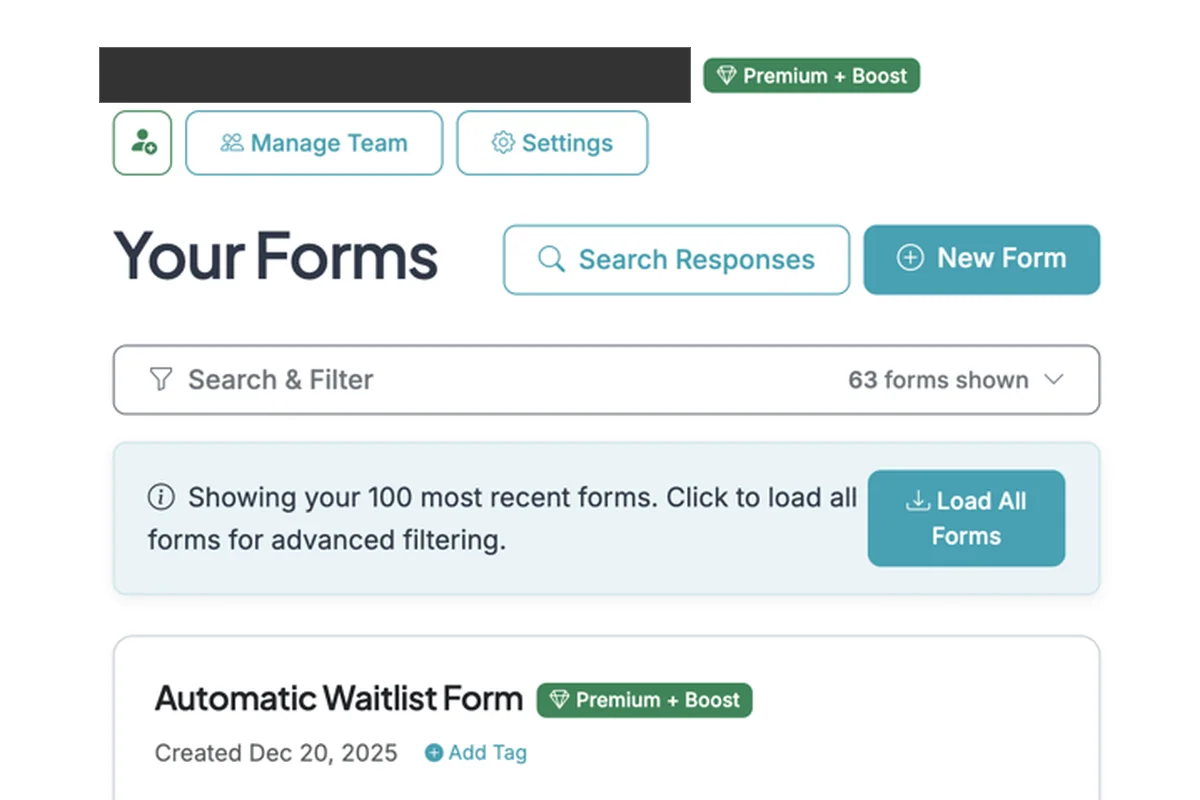
Go to your Dashboard. If you have a Premium plan you will see it shown as a badge next to your email. Click the 'Settings' button to go to your Account Settings page.
2
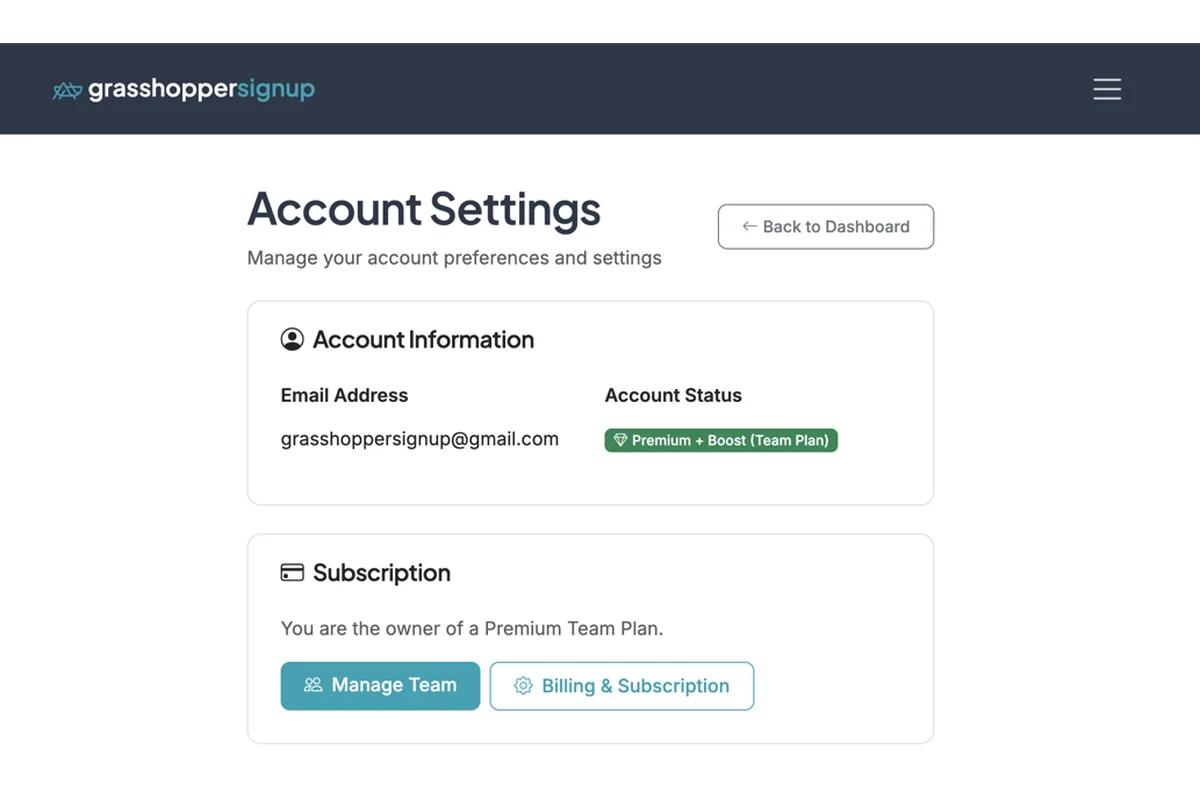
On the Account Settings page, click 'Billing & Subscription" to manage your plan.
3
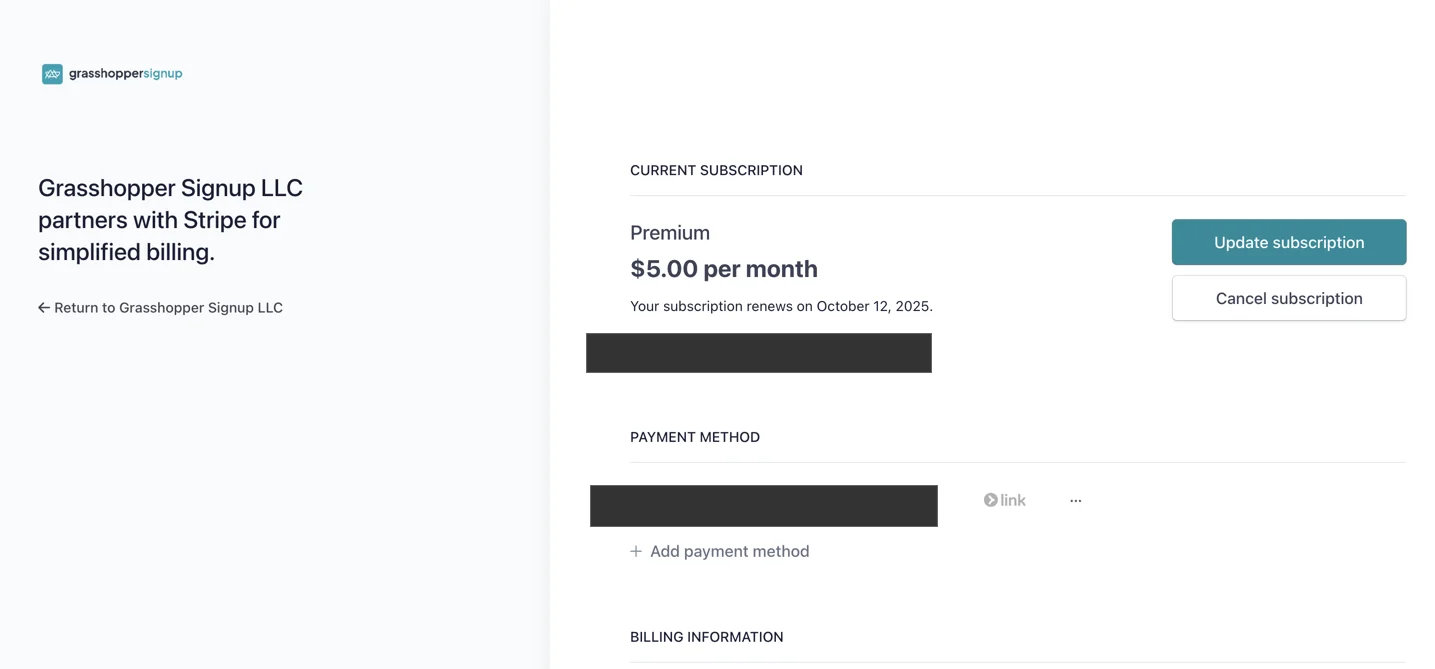
You will be taken to the Stripe portal to manage your account. On this page you can change your subscription plan or click 'Cancel subscription' to cancel your plan.
4
If you cancel your plan, you will continue to have access to your paid plan features for the remainder of your subscription term. Cancelling your plan will disable future auto-renewals for your plan and your account and forms will downgrade at the end of your subscription term.